
Download AI Wallpapers Generator – AI‑Powered Wallpaper Creation Tool
Looking for a fast, secure way to personalize your desktop, laptop, tablet, or phone with stunning visuals? AI Wallpapers Generator lets you turn simple text prompts into high‑resolution wallpapers in seconds. This free, web‑based tool works across Windows, macOS, Android, and iOS, delivering fresh designs without the need for expensive graphic‑design software. Whether you want a calming nature scene, a vibrant cyber‑punk cityscape, or a minimalist abstract pattern, just type a word or phrase and let the AI do the rest. Join a thriving community of creators, enjoy instant downloads, and explore premium style packs when you need that extra creative boost.
Overview
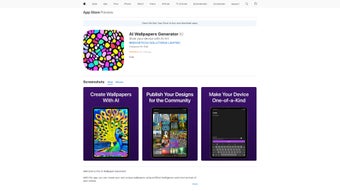
AI Wallpapers Generator is a cutting‑edge web application that puts the power of artificial intelligence directly into your hands for creating truly personal wallpaper designs. By simply typing a word, phrase, or emotion, the engine interprets your input and produces a high‑resolution image that matches the vibe you want to showcase on your device. The platform goes beyond a solitary creation experience – it offers a public gallery where users can browse, like, and remix designs from the community, fostering a collaborative environment that blurs the line between creator and viewer.
Whether you are looking to refresh your desktop, customize a phone background, or find a unique visual for a presentation slide, AI Wallpapers Generator delivers a seamless, secure, and free solution that works across multiple operating systems. The tool is optimized for speed, meaning you can generate a fresh wallpaper in seconds, and the results are stored in the cloud for easy access later. Its intuitive interface requires no design expertise, making it an ideal choice for both casual users and professionals who need quick, eye‑catching visuals without the steep learning curve of traditional graphic‑design software.
In short, this AI‑driven service redefines personalization by turning simple textual prompts into striking visual assets, all while encouraging community interaction and sharing. With GDPR‑compliant data handling and regular updates, users can trust that their creations remain private and the service stays current with the latest AI advancements.
Key Features and What Sets It Apart
- Text‑Prompt Generation – Type any word, phrase, or mood and watch AI translate it into a unique wallpaper.
- High‑Resolution Output – Images are generated at up to 4K resolution, suitable for desktops, laptops, tablets, and smartphones.
- Public Gallery & Community Remix – Browse thousands of user‑created designs, like your favorites, and remix them for your own use.
- Cross‑Device Compatibility – Seamlessly switch between Windows, macOS, Android, and iOS without losing your saved creations.
- Secure Cloud Storage – All generated wallpapers are saved to a private cloud vault, accessible anytime with a secure login.
- Instant Download & Share – One‑click download for immediate use, plus social sharing buttons for Instagram, Twitter, and Pinterest.
- Free Tier with Optional Premium Enhancements – Unlimited basic generations, while premium users unlock higher‑resolution exports and exclusive style packs.
- AI Style Filters – Choose from abstract, minimalistic, neon, pastel, and many other visual styles to guide the algorithm.
Pros
- Zero design skill required – perfect for non‑designers.
- Lightning‑fast generation, typically under 5 seconds.
- Rich community gallery encourages inspiration and collaboration.
- Free core features make it accessible to anyone.
- Secure, GDPR‑compliant cloud storage for personal creations.
Cons
- Advanced style packs are behind a paywall.
- Internet connection required – offline generation not supported.
- Limited text length for prompts (max 50 characters).
Installation, Setup, and How to Use AI Wallpapers Generator
Getting started with AI Wallpapers Generator is intentionally straightforward. Because it is a web‑based service, there is no traditional “installation” process. Follow these steps to begin creating stunning wallpapers in minutes:
- Visit the official website. Open your preferred browser on Windows, macOS, Android, or iOS and navigate to aiwallpapersgenerator.com. The site automatically detects your device and loads an optimized interface.
- Create an account. Click “Sign Up” and provide an email address or use a single‑sign‑on option such as Google or Apple ID. A verification email ensures secure access and enables cloud storage for your designs.
- Enter your prompt. In the main generation field, type a word, phrase, or short sentence that captures the mood you want. Examples include “tranquil forest sunrise,” “neon cyberpunk city,” or “vintage travel poster.”
- Select a style. Choose from the preset style filters or leave it on “Auto” to let the AI decide. Premium users can access exclusive filters like “Oil Painting” or “3D Render.”
- Generate. Hit the “Create” button. Within a few seconds, the AI renders a high‑resolution image. You can preview the result, request a regeneration, or adjust the prompt for refinement.
- Download or share. Once satisfied, click “Download” to save the wallpaper to your device, or use the built‑in share buttons to post it on social media or the public gallery.
- Manage your library. All generated images appear in your personal dashboard, where you can organize them into folders, set favorites, or delete unwanted files.
The platform also offers a mobile‑friendly “Quick Create” widget that can be added to your home screen for on‑the‑go generation. For power users, an API key is available (premium tier) to integrate wallpaper generation into custom workflows or third‑party apps. Throughout the process, the UI provides helpful tooltips and a live chat support bot, ensuring you never feel stuck.
Compatibility, FAQ, and Final Thoughts
AI Wallpapers Generator is built as a responsive web app, meaning it works natively on any modern browser without the need for separate downloads. Tested browsers include Chrome, Edge, Safari, and Firefox on Windows 10/11, macOS Ventura, Android 12+, and iOS 16+. The service also supports Progressive Web App (PWA) installation, allowing you to “install” it on your desktop or mobile device for a native‑like experience.
Frequently Asked Questions
Is AI Wallpapers Generator completely free?
The core generation engine is free for unlimited use, but premium style packs and higher‑resolution exports require a subscription.
Can I use the generated wallpapers for commercial projects?
Yes, all wallpapers created under a free or premium account come with a royalty‑free license for personal and commercial use, provided you do not redistribute the raw AI model.
What image formats are available for download?
Downloads are offered in PNG and JPEG. Premium users can also export in TIFF for professional printing.
Is my data safe when I upload prompts?
The platform complies with GDPR and encrypts all user data at rest and in transit. Prompt texts are not stored permanently unless you save the resulting wallpaper.
Can I integrate the generator into my own app?
Premium subscribers receive an API key and documentation to embed the generation engine into third‑party applications or websites.
Conclusion – Why You Should Download Today
AI Wallpapers Generator stands out as a fast, secure, and remarkably creative tool that democratizes visual design. Its ability to transform a simple phrase into a polished, high‑resolution wallpaper eliminates the need for expensive software or design training. The free tier provides ample functionality for everyday users, while the optional premium features cater to power users seeking extra style diversity and higher output quality.
Because the service runs entirely in the browser, it remains lightweight, cross‑platform, and always up‑to‑date without manual patches. If you’re looking to refresh your device’s look, add a personal touch to presentations, or simply explore the frontier of AI‑driven art, this web app is a perfect fit. Click the button below, create your first wallpaper in seconds, and join a growing community of creators who are redefining personalization with artificial intelligence.
Download AI Wallpapers Generator Now
Pros: intuitive UI, instant generation, vibrant community gallery.
Cons: premium filters cost extra, requires internet.



.png)



